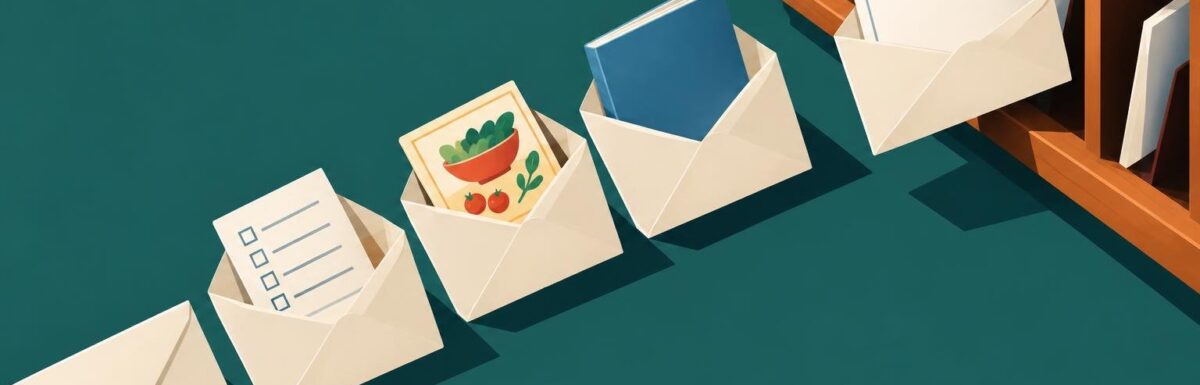
A new subscriber has just given you permission to show up in their inbox. A thoughtful blog welcome email sequence helps you make a good first impression, point readers toward useful content, and explain what they can expect from you. It also gives your blog a reliable way to build relationships beyond social media or search.
You don’t need a long automation or a complicated funnel to get started. A small sequence of well-timed emails can answer a new reader’s immediate questions and create a clear next step. Here’s how to plan one that feels helpful, sounds like your blog, and is simple to maintain.
What a blog welcome email sequence should do
A welcome sequence is a short series of automated emails sent after someone subscribes. It differs from a single confirmation or delivery email because each message has a specific role in introducing your work and helping the subscriber find value.
A useful sequence should:
- Deliver the promised resource or explain what the reader signed up for.
- Set expectations for email frequency and subject matter.
- Introduce your perspective and the people behind the blog.
- Direct subscribers to a small number of relevant articles or resources.
- Invite a response or another low-pressure interaction.
The goal isn’t to squeeze a sale or a click out of every message. It’s to make the next step obvious and earn the reader’s attention over time. If your blog publishes irregularly, say so plainly rather than promising a weekly newsletter you may not send.
Plan your blog welcome email sequence before writing
Start with the signup form. What did it promise? A checklist, a newsletter, a course, or updates about a particular subject? Your first email should follow through on that promise. If the signup offer is vague, clarify what subscribers will receive before building the sequence.
Choose a simple sequence length
For many independent blogs, three or four emails are enough. A practical starting plan is:
- Email 1, immediately: Deliver the signup offer and set expectations.
- Email 2, one or two days later: Share a helpful starting point or explain a common problem you address.
- Email 3, a few days later: Recommend a small collection of relevant content and explain how to use it.
- Email 4, about a week after signup: Ask what the reader needs or invite a reply.
These are starting intervals, not rules. A time-sensitive free course may need a tighter schedule. A low-frequency publication may work better with fewer messages spread across more days. Leave enough space for readers to use what you send, and avoid stacking a welcome sequence on top of regular newsletters without checking how often subscribers will hear from you.
Give each message one job
Before drafting, write one sentence describing what each email should help the reader do. If two emails have the same job, combine them or give one a different purpose. A sequence is easier to follow when every message adds something new rather than repeating your introduction.
Write the emails: a practical four-message plan
Email 1: Deliver and orient
Send this message as soon as possible after signup. Put the promised download, link, or instructions near the top. Then briefly explain what the subscriber signed up for and what happens next.
For example, a food blog might link to the requested meal-planning sheet, explain that its newsletter focuses on practical weeknight cooking, and tell readers when they can expect another email. A marketing blog might share a checklist and point to one article that helps a reader apply it.
Keep the welcome personal but accurate. Introduce yourself or the publication in a sentence or two, and avoid a long origin story before delivering the promised resource. If you ask readers to add your address to their contacts, explain that it can help them recognize future messages, but don’t make it a condition for receiving the offer.
Email 2: Help with one immediate problem
Choose a problem your new subscriber is likely trying to solve. Share a useful tip, a short process, or one strong article. Explain why you chose it and what the reader can do with it. A bare list of links is less useful than a recommendation with context.
Make the call to action specific. “Read the guide to choosing a topic for your first month of posts” tells a subscriber more than “Visit the blog.” Use one main link so the email has a clear direction, even if you include a secondary option where it genuinely helps.
Email 3: Show how your content fits together
Help readers find their next step. Group a few articles by a shared goal, such as planning a content calendar, improving an existing post, or getting a first email newsletter ready. A short learning path can make an archive feel more approachable than a long list of recent posts.
Choose resources that match the promise of the signup form. If readers joined for beginner advice, don’t send them straight to advanced tactics without a little context. Add a sentence about who each resource is for and which one to read first.
Email 4: Invite a reply
A direct question can help you learn what subscribers care about. Ask one easy-to-answer question, such as “What part of publishing consistently is hardest for you?” or “What would you like a step-by-step guide to cover?” Make it clear that replying is optional.
Only invite replies if you or someone on your team can review them. If replies go to an unattended address, offer another realistic way to share feedback, such as a short survey or a clearly stated contact option.
Make the sequence sound like your blog
Use the same level of formality and the same practical vocabulary readers encounter in your articles. A friendly blog can use a conversational greeting; a professional publication may prefer a concise introduction. Consistency matters more than choosing a particular personality.
Write for one person who has just subscribed, not an imaginary crowd. Replace broad claims with specific help. Instead of “We share everything you need to succeed,” say what the publication covers and how often it sends messages. Clear expectations make it easier for readers to decide whether the emails are right for them.
Keep subject lines informative and relevant to the message. Avoid promising a result the email can’t deliver. Preview text can add context, such as naming the resource or explaining the next step, rather than repeating the subject line.
Set up timing, consent, and delivery carefully
Connect the sequence to the right signup form or subscriber tag, then test the entire path with an address you control. Confirm that the form works, the promised resource opens, links go to the intended pages, and each email arrives in the right order. Check the messages on a phone as well as a desktop.
Make sure the sequence respects the preferences people selected when they signed up. Don’t add someone to unrelated promotional messages just because they requested a specific download. Include the unsubscribe option required by your email platform and applicable rules, and honor subscriber choices promptly.
Think through how automation interacts with your regular newsletter. If a reader receives four welcome emails and a weekly update at the same time, the total may feel excessive. Some email services let you pause routine broadcasts during the sequence or exclude new subscribers from certain sends. If yours doesn’t, adjust your schedule or shorten the automation.
Measure useful signals and improve one thing at a time
Review sequence performance after enough subscribers have completed it to spot patterns. Look at delivery issues, link clicks, unsubscribes, replies, and the number of people who reach the promised resource. Open tracking can be imperfect, so don’t treat opens as a complete measure of interest.
Use the purpose of each email to choose what to improve. If the first email gets few resource clicks, check whether the link is easy to find and works correctly. If readers unsubscribe after a particular message, compare its topic and timing with the expectations you set at signup. If nobody replies, make the question more specific or remove friction from the response process.
Change one element at a time when possible. Revising the subject line, timing, and email content together makes it harder to tell what helped. Keep a simple note of the change and what you observed, then decide whether to keep it.
Build a first version you can actually maintain
Begin with three emails if four feels like too much. Deliver the promised resource, share one useful recommendation, and invite a reply or point readers toward another relevant resource. Once that sequence is working, add messages only when they serve a distinct purpose.
Review the automation whenever you change your signup offer, publish a new cornerstone guide, or alter your newsletter schedule. Replace outdated links and revise promises that no longer match your publishing habits. A modest sequence that stays accurate and useful is better than an elaborate one that becomes stale.
Leave a Reply